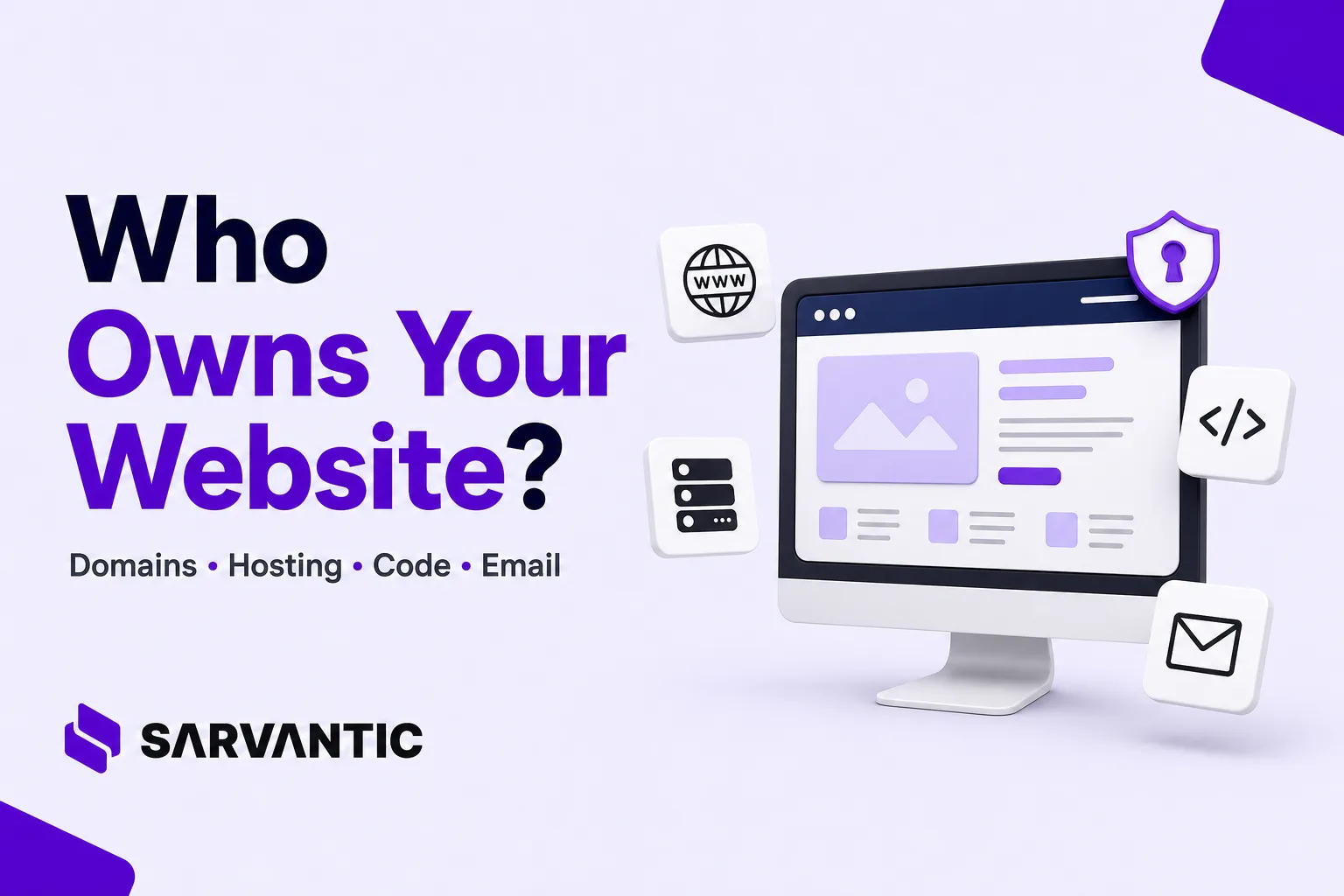
Your business should retain control of its domain name, website hosting, source code, business email, and other essential digital assets wherever practical. When hiring a web development agency or freelancer, establish who owns each account, who can access it, who pays for renewals, and what happens when the working relationship ends. Put ownership, intellectual property rights, licensing, backups, and handover responsibilities in writing before development begins.
A website is more than a collection of pages. It is a business asset connected to your brand, customer relationships, online visibility, data, and day-to-day operations. Losing access to even one critical component can create unexpected costs, interrupt business communication, or make it difficult to move to another service provider.
At Sarvantic, we believe clients should understand the technology behind their websites, not simply pay for a finished result. Our approach emphasizes transparent communication, clearly defined responsibilities, appropriate account access, and an agreed ownership and handover process.
Why Website Ownership Matters More Than You Think
Imagine that your company has invested in a new website. Your domain is connected, the website is generating enquiries, and customers are using your business email every day.
You discover that the domain is registered through an account you cannot access, the hosting is managed under someone else’s account, the source code is stored in a private repository you cannot access, and the person who manages your business email has the only administrator login.
Even if the relationship ends amicably, transferring everything could take time and money. If there is a disagreement, the situation can become much more difficult.
This is why ownership and access should be discussed before the project starts, rather than during an emergency.
A responsible agency should be able to explain which assets belong to your business, which services are licensed or supplied by third parties, which accounts it manages, and how you can take over the system if necessary
The Four Essential Parts of Your Business Website
Most business websites depend on four important components:
- Domain name: Your website’s address, such as
yourcompany.com. - Hosting and infrastructure: The services and servers that make your website available online.
- Website code and intellectual property: The source code, design, content, and other materials used to build your website.
- Business email and connected services: Your professional email, DNS, analytics, forms, payment integrations, and other business tools.
These components work together, but they are not the same thing. Each can have a different owner, account administrator, subscription, and set of access permissions.
1. Domain Name: Keep Your Business in Control
Your domain name is the address customers use to find your website. It might also appear in your email addresses, marketing materials, social media profiles, and business documents.
For example, if your company owns yourcompany.com, that domain can direct visitors to your website and support email addresses such as [email protected].
Who should register the domain?
Ideally, your business should be the registered domain holder, with the account maintained using a company-controlled email address and appropriate recovery details.
You can register a domain through providers such as:
Choose a provider that suits your requirements, budget, renewal arrangements, and technical needs. You do not have to use the same provider as your web development agency.
The important point is not which registrar you choose. It is whether your business can independently manage and renew its domain.
What should you check?
Before or during development, confirm the following:
- The registrant details identify the appropriate individual or legal entity for your business.
- Your business has access to the registrar account.
- Your company controls the account’s recovery email and authentication methods.
- Automatic renewal and payment arrangements are clear.
- The domain’s expiration date is recorded and monitored.
- Your developer has only the access needed to perform their work.
Domain registration is generally renewed for a specified period; it is not permanent ownership in the same way as owning a physical asset outright. Your rights and responsibilities depend on the registration agreement and applicable policies.
2. Website Hosting: Know Where Your Website Lives
Hosting is the service that stores or runs your website’s files, database, and related components so visitors can access them over the internet.
When someone visits your domain, DNS helps direct their browser to the appropriate infrastructure, and the hosting environment delivers the website.
Your website may use shared hosting, managed WordPress hosting, a virtual private server, cloud infrastructure, or another hosting arrangement.
Three common hosting arrangements
Option A: You purchase hosting directly
Your business opens an account with a provider, chooses a suitable plan, and pays the hosting bills. The agency receives delegated access to configure and maintain the website.
This gives your business direct visibility into subscriptions, invoices, renewals, and account settings.
Option B: The agency manages hosting under your agreement
The agency operates or manages the hosting environment and charges you for hosting, maintenance, or both.
This can be a reasonable arrangement. However, the agreement should explain who owns the account or infrastructure, where the website and database are stored, what is included in the fee, and how the website will be migrated if you leave.
Option C: The website runs on agency-managed infrastructure
Some agencies host several client websites on infrastructure they administer. You may not have direct access to the underlying server account.
This is not automatically a problem. Managed hosting can reduce your technical workload, provided the arrangement is transparent and there is a documented migration, backup, and handover process.
What about Hostinger and other hosting providers?
If you use a provider such as Hostinger, confirm whether the hosting subscription is purchased by your company or supplied through your agency’s own account.
Ask for clear answers to these questions:
- Who pays the hosting provider?
- Who can access the hosting control panel?
- Who controls the website files and database?
- How frequently are backups created?
- How long are backups retained?
- Can you obtain a copy of the website and database?
- What happens if you change your agency or hosting provider?
A hosting subscription is not the same thing as ownership of your website’s domain or source code. You may own the website’s relevant intellectual property while renting the infrastructure on which it runs.
Why cheap hosting can become expensive
Choosing a low-cost plan is not necessarily a mistake. The real issue is whether the hosting meets your website’s requirements.
Insufficient resources, poor configuration, missing backups, or inadequate maintenance can affect performance and reliability. A hosting plan that works for a small informational website may not be suitable for a busy e-commerce store.
Ask your developer to explain the recommended plan, its limitations, expected operating costs, and the process for scaling or migrating later.
3. Website Code and Intellectual Property: Who Owns What?
Your website’s code is what makes its functionality work. Depending on the project, it may include HTML, CSS, JavaScript, PHP, React or Next.js components, backend services, database structures, custom plugins, and configuration files.
The design, written content, graphics, and other creative materials may also be important intellectual property assets.
However, paying for website development does not automatically settle every intellectual property ownership question. The contract, applicable law, third-party licences, and the specific materials involved all matter.
What should your development agreement cover?
Before work begins, agree in writing on:
- Ownership or licensing rights for custom source code.
- Rights to website designs, graphics, copy, and other project deliverables.
- When ownership transfers, including any payment conditions.
- Pre-existing code, reusable components, frameworks, and agency tools.
- Third-party themes, plugins, fonts, stock assets, and software licences.
- Access to the source repository and delivery of the agreed files.
- Documentation, deployment instructions, and database exports where applicable.
- Any restrictions on modifying, redistributing, or reusing project materials.
For example, an agency may create a custom booking system specifically for your business while using an open-source framework and a commercially licensed plugin. Your agreement should distinguish the custom work from the third-party components and explain the rights applicable to each.
Open-source software is not automatically owned by the client simply because it is used in a paid project. Likewise, an agency should not imply that a client receives unrestricted ownership of every third-party component.
Why should your company have access to the source code?
If your website is custom-developed, ask for a suitable source-code handover arrangement.
A Git repository can preserve the development history, help developers collaborate, and make future maintenance easier. For example, GitHub supports repository transfers between accounts and organizations.
Where appropriate, keep the repository under a company-controlled organization and invite your developer with the permissions required for the project.
For WordPress websites, also clarify access to custom themes, custom plugins, configuration, media files, and database exports. Not every website uses a Git repository, but every project should have an agreed way to obtain the deliverables required for maintenance or migration.
The objective is continuity: your business should not be forced to rebuild its entire website simply because it chooses a different developer.
4. Business Email: Protect Your Communication and Data
Business email is often overlooked during website development, but it can be just as important as the website itself.
Your email account may be used for customer enquiries, invoices, contracts, password resets, supplier communications, and access to other business services.
If your email is unavailable, you could miss important messages. If the wrong person retains administrative access, confidential communications and account recovery processes may be exposed.
Which business email service should you use?
You can choose a provider according to your team’s requirements, budget, security needs, and existing workflow.
Google Workspace
Provides professional email using your business domain, together with collaboration and productivity tools. What Is Google Workspace?
Visit: Google Workspace for business email
Zoho Mail
Offers business email hosting with custom-domain email addresses and administrative controls.
Visit: Zoho Mail
Microsoft 365
Provides business email and productivity services through Microsoft’s business plans.
Visit: Microsoft 365 for business
These are examples, not an exhaustive list. Your business can select another suitable email provider.
Who should control the email account?
Ideally, your company should control its email subscription, primary administrator account, recovery methods, and billing arrangements.
A developer may need to configure DNS records, verify the domain, or troubleshoot delivery issues. Those tasks do not necessarily require the developer to have unrestricted access to your inbox or all your employees’ mailboxes.
Use delegated administrative access wherever the provider supports it, and give each person only the permissions needed for their work.
Keep in mind that email hosting and domain DNS are separate responsibilities. Your email provider may require DNS records such as MX, SPF, DKIM, and DMARC to be configured correctly. Changes to these records should be handled carefully because incorrect settings can disrupt email delivery.
Your business email should remain under your business’s control, even when an external agency helps configure it.
5. DNS, Cloudflare, and Other Connected Services
Your domain, website, and email depend on more than the registrar and hosting provider.
DNS records direct traffic to the relevant services. A platform such as Cloudflare may provide DNS management, security features, caching, and other services.
You may also use separate accounts for analytics, search monitoring, payment processing, forms, marketing, and customer relationship management.
Create a simple inventory of these services and document who controls each account.
| Digital asset | Recommended ownership and access arrangement |
|---|---|
| Domain name | Registered in the client’s business name, with the client controlling the registrar account and renewal details. |
| DNS and Cloudflare | The client’s business controls the account, while the agency receives delegated access to configure and manage DNS and security settings. |
| Website hosting and cloud infrastructure | Preferably purchased under the client’s business account. If the agency provides managed hosting, the hosting terms, costs, backups, access, and migration process should be clearly documented. |
| Website source code | The client receives the agreed source code and intellectual property rights as specified in the contract. Where practical, the repository should be accessible through an account controlled by the client’s business. |
| Business email | The client’s business controls the email subscription, administrator account, billing, and recovery details. |
| Analytics and search tools | The client owns or controls the relevant accounts and properties, with the agency granted access to perform its work. |
| Payment gateway | Registered in the client’s business name wherever supported, with the client controlling merchant account access, settlements, and financial settings. |
| Website backups and exports | The client can obtain the agreed website files, database exports, and backups, with documented recovery and handover arrangements. |
These are recommended arrangements rather than universal legal requirements. The right setup depends on the project, service provider, technical architecture, and contract.
The important thing is to know which account controls each part of your business’s digital infrastructure.
6. What Happens When You Change Your Web Development Agency?
Changing agencies should be a manageable business process, not a crisis.
A well-planned handover can include:
- Confirming access to the domain registrar, DNS provider, hosting account, and other essential services.
- Obtaining the agreed source code, website files, database exports, and current documentation.
- Confirming the ownership or licence status of custom code, themes, plugins, fonts, and other deliverables.
- Reviewing administrator accounts, integrations, API keys, and deployment credentials.
- Verifying that backups are current and that restoration or migration is feasible.
- Arranging the transfer of repositories, hosting services, or other accounts where necessary.
- Removing the outgoing agency’s access when its work is complete, after ensuring the transition will not disrupt essential services.
For larger websites, e-commerce platforms, or applications with complex integrations, plan the migration carefully. DNS changes, email records, databases, SSL certificates, payment integrations, and environment variables may all require attention.
Do not immediately revoke every access permission without coordinating the transition. First confirm that your business has the required credentials, backups, documentation, and operational continuity.
A professional handover protects both the client and the agency by making responsibilities clear.
8. What Transparent Website Ownership Looks Like at Sarvantic
At Sarvantic, we believe a web development project should help your business become more capable, not more dependent on a single service provider.
Our approach is built around transparent communication and clear expectations. We want clients to understand what is being developed, which services are involved, what they are paying for, and how the resulting website can be maintained.
For each project, the ownership and access arrangements should be clarified according to the agreed scope.
That means discussing:
- Domain ownership: Who registers the domain, controls the registrar account, and manages renewals.
- Hosting and infrastructure: Whether the client purchases hosting directly or Sarvantic supplies a managed arrangement, including the relevant costs and migration process.
- Source code and deliverables: What custom work is included, what intellectual property rights transfer, and which third-party licences apply.
- Business email: Which provider is used, who controls administration, and what configuration work is included.
- Security and backups: Which safeguards are included in the project or maintenance agreement, and which remain the client’s responsibility.
- Handover and support: What documentation, files, training, migration assistance, and ongoing support are included.
Where a service supports delegated access, we aim to use an appropriate permission model rather than unnecessarily sharing a client’s master credentials.
Some services may be purchased directly by the client; others may be provided through an agreed managed arrangement. Licensing, payment conditions, maintenance responsibilities, and ownership transfers depend on the project agreement.
We believe clients deserve clear explanations rather than technical jargon. If you do not understand why a particular service is needed, you should feel comfortable asking.
The goal is straightforward: build a useful website, explain the systems supporting it, and agree on a practical path for continued access, maintenance, and future changes.
Learn more about our approach on the Why Sarvantic page.
Need Help Planning Your Website the Right Way?
At Sarvantic, we aim to make these details clear from the beginning. Whether you need a new business website, a WordPress solution, an e-commerce store, or a custom application, we can discuss the technical requirements, hosting options, access arrangements, and ongoing support relevant to your project.
Frequently Asked Questions
Who should own a business website: the client or the developer?
In most client-commissioned business website projects, it is sensible for the client to retain control of the business’s essential digital assets and to have clearly defined rights to the agreed deliverables. However, legal ownership of source code, designs, and other intellectual property depends on the contract, applicable law, and any third-party licences. Confirm the arrangements in writing before development begins.
Can a web developer register a domain on behalf of a client?
Yes. A developer can assist with registration, but the client should establish who the registered holder is, who controls the account, and how the domain can be managed or transferred. Whenever practical, use company-controlled registration details and account recovery methods.
Should I buy my own hosting or let the agency manage it?
Either arrangement can work. Direct hosting gives your business more direct control over billing and account administration. Managed hosting can reduce technical responsibilities, provided the service, costs, access, backups, and exit process are documented.
Can I move my website to another hosting company later?
Usually, a website can be migrated, but the process depends on its technology, account permissions, licences, integrations, and hosting architecture. Confirm that the necessary files, database, configuration, and migration rights will be available. Plan the move to minimize downtime and avoid disrupting email or other services.
Contact Sarvantic to discuss your requirements and plan a solution that fits your business.
Website ownership, licensing, and contractual rights depend on the applicable agreement and law. This article provides general educational information and is not legal advice. Review your project agreement and seek qualified legal advice where necessary.